

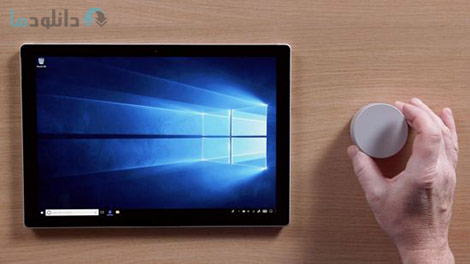
با دانلود فیلم آموزش Learning Microsoft Surface and Other 2-in-1s می توانید تا سرعت کار خود را در کار با سرفیس های ماکروسافت بیشتر کرده و با سایر دستگاه سری اول و دوم آنها نیز کار کنید. دوره می تواند شما را با یک سرفیس بوک آشنا کرده و سپس توضیح دهد که گگونه ماوس و کیبرد و نمایشگرهای خارجی را می توانید به آن اضافه نمایید. برای ادامه دادن به این دوره شما باید بررسی های لازم را در مورد ویندوز 10 و اجرای ان در این حالت بیاد داشته باشید و بتوانید تنظیمات گفته شده را به خوبی در ان صورت دهید.
با دانلود این دوره نحوه استفاده از قلم قدرتمند را یاد می گیرید و می توانید تا با برنامه های محبوب سرفیس نیز کار کرده و با کارایی های ان آشنا شوید. برای این منظور برخی از برنامه ها نیاز به قلم داشته و برخی نیز به همان صورت می توانند شخصی سازی شوند. مهمترین زمینه استفاده از برنامه برای تشخیص چهره و اثر انگشت می باشد که با ان نیز آشنا خواهید شد. شما کاربران هم اکنون می توانید برای دانلود فیلم آموزش Learning Microsoft Surface and Other 2-in-1s از لینک مستقیم و رایگان سرورهای قدرتمند سایت دانلودها استفاده نمایید.
عنوان دوره: Learning Microsoft Surface and Other 2-in-1s
مدت زمان: 1 ساعت و 27 دقیقه
مدرس: Nick Brazzi
فرمت تصویری: AVC 1280×720
فرمت صوتی: AAC 44KHz 2ch
زبان: انگلیسی
زیرنویس فارسی: ندارد
دوره های آموزشی:
– معرفی
– آشنایی با دستگاه
– استفاده از ویندوز 1- در حالت تبلت
– قلم و شماره گیری: لوازم جانبی ضروری برای سرفیس
– تنظیمات سفارشی و امنیت
– نتیجه گیری
(برای مشاهده در ابعاد اصلی روی عکس کلیک نمایید)
info
Get up to speed with the Surface Book—the powerful hybrid laptop/tablet (2-in-1) computer from Microsoft—and other 2-in-1 devices. This course begins with a tour of the Surface Book device, explaining how to connect the mouse, keyboard, and external displays.
Next, instructor Nick Brazzi steps through how to best become productive with the Surface in Tablet mode, exploring the basic touch controls in Windows 10 and how to adjust important settings. He demonstrates how to multitask, use the onscreen keyboard, work with tiles, and more.
Plus, Nick shows how to get the most out of the Surface accessories, including how to leverage the powerful Surface Pen in popular applications, and how to work with the Surface Dial, which you can use to interface with specialized menus and controls in different applications. He also explores the Windows Ink Workspace, a collection of applications designed specifically for pen input. To wrap up, he goes over important customization and security settings, including how to use Windows Hello for fingerprint or face recognition for fast login.
Topics include:
Mastering touch controls in Windows 10
Switching between Tablet mode and Desktop mode
Launching applications and multitasking in Tablet mode
Using the onscreen touch keyboard
Using the Surface Pen
Working in the Windows Ink Workspace
Setting a PIN code for fast login
Fingerprint and face unlocking with Microsoft Hello
Courses:
Introduction
Getting Familiar with the Device
Using Windows 10 in Tablet Mode
Pen and Dial: Essential Accessories for the Surface
Setting Customization and Security
Conclusion
اطلاعات فایل
- حجم فایل: 725 مگابایت
- شرکت سازنده:
- تاریخ انتشار: February 2018
- منبع: دانلود ها - دانلود رایگان نرم افزار،بازی،فیلم و سریال
- قیمت: رایگان